Top WAVE alternatives for UI motion testing (2026)
In short: the strongest WAVE alternatives for motion and accessibility testing in 2026 are Tabnav (accessibility widget plus monitoring), Pluro (a scan-fix-govern workflow), AAArdvark (an automated-plus-manual audit workspace) and MotionSpec (a motion accessibility checker for CSS motion, with an MIT compiler for the build). Only MotionSpec is motion-specific; the other three are broader accessibility platforms you might run alongside it. Disclosure: MotionSpec is our product.
rel="nofollow" and are here for comparison, not endorsement. Screenshots are each vendor's own homepage, shown for identification. Details and pricing were accurate to our reading at the time of writing; check each vendor for current terms.WAVE, WebAIM's accessibility testing tool, is where a lot of teams start. It's excellent for a one-off look at a single page, but once you're maintaining many sites you usually want more: continuous monitoring, remediation workflows, and coverage of the parts of accessibility a single static scan misses. One of the most consistently missed parts is motion — animation that ignores prefers-reduced-motion, loops without a pause control, or blows the performance budget.
That gap is easy to underestimate. The scale of the accessibility problem is well documented: the WebAIM Million 2026 analysed the top one million home pages and found detectable WCAG failures on 95.9% of them — up from 94.8% a year earlier, and averaging around 56 errors per page. Yet the recurring "top six" failures it reports are contrast, alt text, form labels, empty links and buttons, and missing document language — not motion. Automated web accessibility scanners simply don't look hard at animation, which is why unguarded motion keeps shipping even on sites that pass a scan.
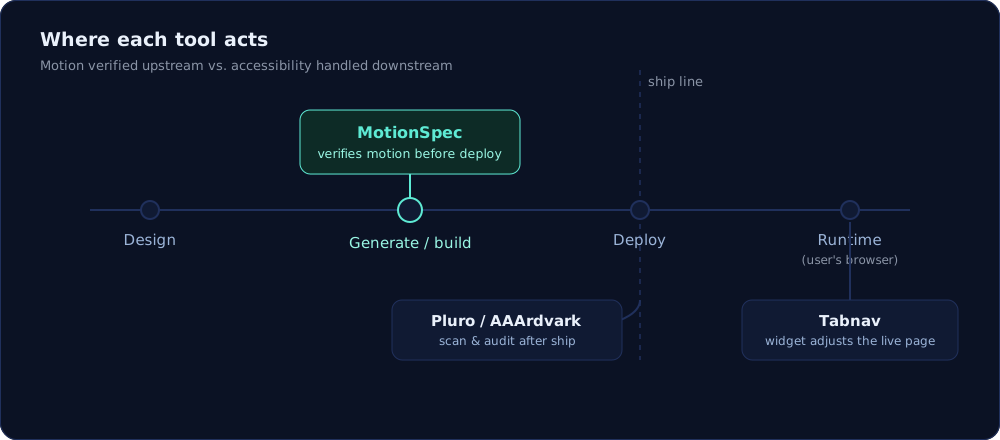
These four tools solve different problems, and only one of them is motion-specific. This guide lays out what each does, who it fits, and how it's priced, so webmasters, developers and agencies can pick the one that matches their workflow. A quick honesty note up front: Tabnav, Pluro and AAArdvark are broad accessibility platforms; MotionSpec is narrow and deep on the motion layer. They are as often complementary as they are alternatives.
On this page
- How we compared them
- Tabnav — accessibility widget + monitoring
- Pluro — scan, fix and govern workflow
- AAArdvark — automated + manual audit workspace
- MotionSpec — motion accessibility checks and compiler
- Side-by-side comparison
- Best fit for each need
- FAQ
How we compared them
We looked at four things for each tool: where it acts in the delivery pipeline (build time, runtime, or a post-deploy audit loop), what it actually tests (structural accessibility, dynamic behaviour, or motion specifically), who operates it (developers in CI, site owners via a widget, or auditors and agencies), and how it's priced. Descriptions draw on each vendor's public materials and our own reading; where a claim is the vendor's, we say so. This is not a lab benchmark with scores — accessibility tooling is too workflow-dependent for a single number to be honest — so treat the "best fit" notes as routing advice, not a ranking.
Tabnav
At a glance. Tabnav installs a configurable accessibility widget quickly — the vendor cites setup in about two minutes — while running continuous scans for WCAG 2.2 AA, ADA, EAA and Section 508. It pairs automated reports with manual remediation by certified experts, which suits teams that want both quick checks and hands-on fixes.
Core features. A user-facing widget with controls for contrast, text size and navigation; instant scans and compliance reports across WCAG 2.2 AA, ADA, EAA and Section 508; ongoing monitoring and regression alerts; and AI-assisted plus manual remediation, including PDF remediation, that doesn't require changing the existing codebase.
Key differentiator. An easy-to-deploy widget combined with continuous monitoring and expert remediation, so many fixes are handled outside the production codebase — a fit for teams that prioritise rollout speed and workflow continuity.
Best for. Webmasters, accessibility coordinators, legal/compliance teams and agencies managing multiple sites who want ongoing oversight, plus organisations that prefer remediation handled by external experts.
Considerations. The widget model layers user controls on top of a site rather than changing the underlying code, and some teams prefer code-level fixes. Continuous monitoring, expert remediation and PDF remediation sit on paid plans, and the free tier is limited to basic widget features. It is a general accessibility platform, not a motion-specific verifier.
Pricing. From a free basic widget up to custom enterprise plans; paid tiers add monitoring and manual/PDF remediation, with enterprise pricing scaled to site size.
Pluro
At a glance. Pluro ties automated WCAG scans to ongoing remediation, adds AI explanations for classification and impact, and includes behaviour tests that record keyboard and modal interactions. The aim is to move accessibility from one-off audits into regular engineering work. Plans start around $490/year for small sites, with a free trial.
Core features. WCAG scanning paired with AI-driven explanations and remediation suggestions; behaviour tests that capture dynamic UI failures; controlled fixes applied at the JS, CSS or DOM level; and a central dashboard tracking sites, clients, roles, review status and screenshot-backed reports.
Key differentiator. It organises scanning, behaviour testing, fixes, reporting and governance into one continuous workflow, reducing hand-offs between auditors, developers and service teams — turning audit items into tracked, verifiable work across domains.
Best for. Product teams, developers, accessibility consultants and agencies managing multiple sites, plus enterprise compliance programmes that want governance and centralised evidence. Teams with at least one technical owner adopt the controlled fixes fastest.
Considerations. The breadth — scanning, testing, fixes, reporting, governance — means teams should budget onboarding and training to use the workflow fully. Deep, bespoke code remediation may still call for internal engineering or a consultancy. It covers accessibility broadly rather than verifying the motion layer at build time.
Notable integrations. Jira, an API, and a VS Code extension, plus common CMS/e-commerce platforms (WordPress, Shopify, Wix, Drupal, Joomla, Weebly, GoDaddy).
Pricing. Tiered by feature set and scale, starting around $490/year for small sites with a free trial; enterprise adds SSO, audit logs and additional modules. Exact pricing depends on site count and chosen modules.
AAArdvark Accessibility Tool
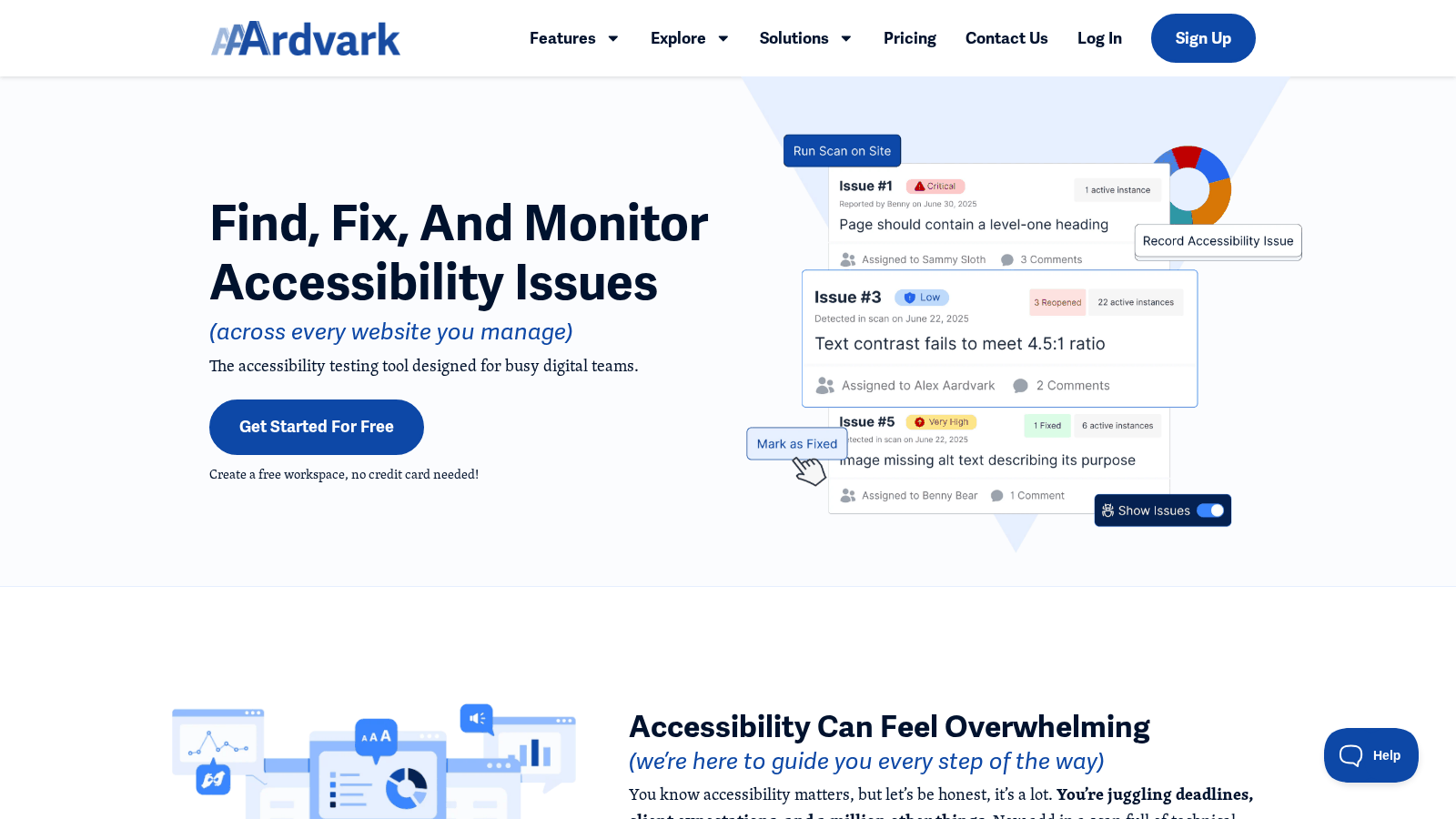
At a glance. AAArdvark pairs automated scanning with manual audit workflows in one workspace, and emphasises human review over overlays. A free plan covers single-homepage testing, with paid tiers for freelancers and small teams. Its Visual Mode highlights issues on the live page so teams can act on precise locations.
Core features. Automated scanning plus manual audit workflows and remediation tracking; Visual Mode for on-page issue pinpointing; task assignment and progress tracking; scheduled scans with alerts; an AI-assisted colour-contrast checker; branded reporting; and CMS links to move fixes into development.
Key differentiator. Manual and automated testing combined with real-time visual issue highlighting and team collaboration in one workspace — suited to agencies and teams that need provable fixes and explainable results for clients.
Best for. Digital teams, accessibility specialists and agencies managing multiple client sites; freelancers who want branded, client-ready audit reports; and teams that want a blend of human review and automated checks.
Considerations. Standard tiers focus on single sites and small bundles, so larger portfolios need a custom arrangement. As a specialised tool, teams new to accessibility platforms should plan some initial setup and training. It is an audit workspace, not a motion-specific build-time verifier.
Pricing. A free tier for single-homepage testing, plus paid subscriptions for freelancers and small teams; larger portfolios get custom pricing. Check the vendor for current per-site rates.
MotionSpec
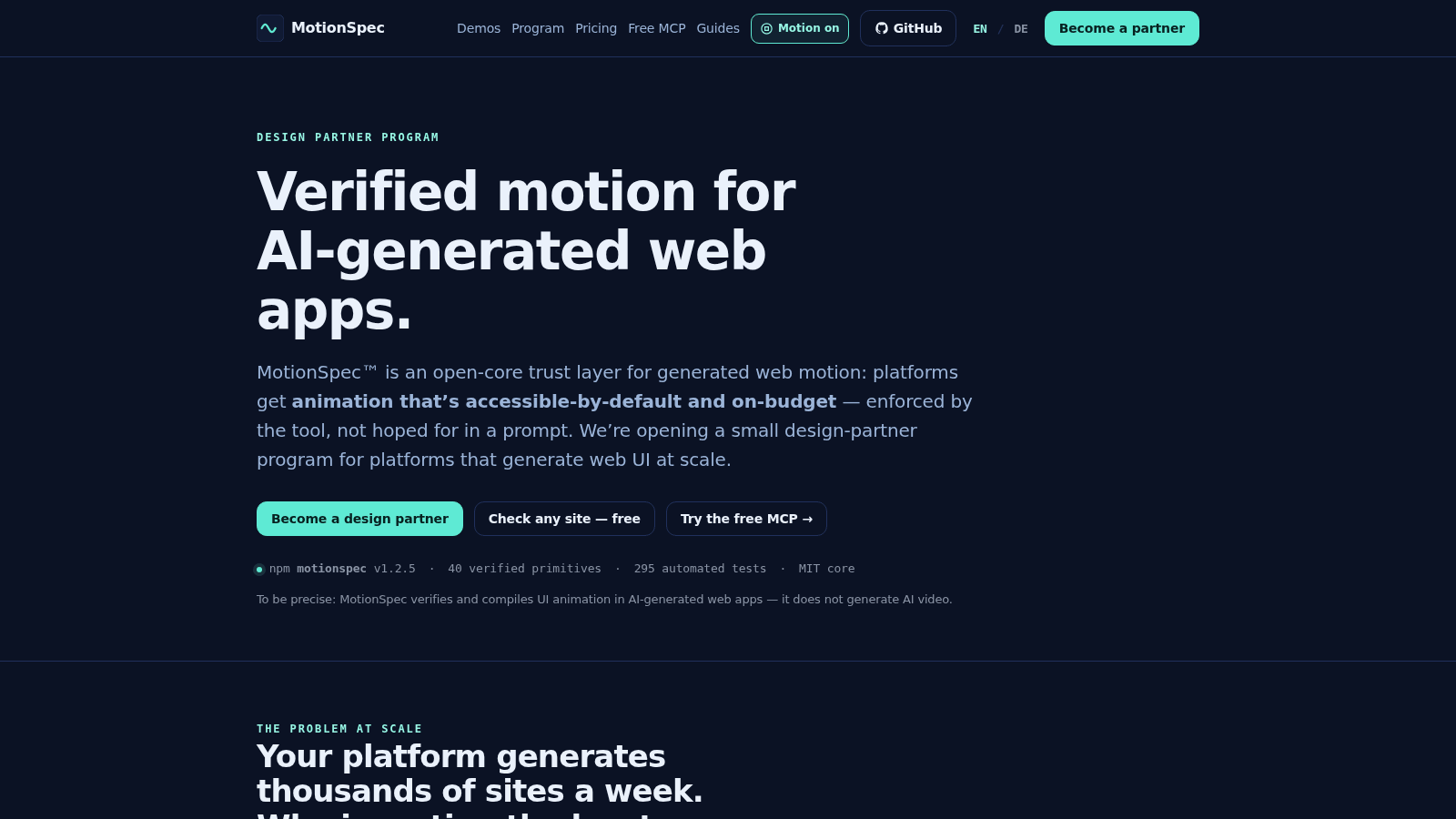
At a glance. MotionSpec is a motion accessibility checker: it scans a live page’s CSS for loops with no pause path (WCAG 2.2.2, Level A) and motion outside a prefers-reduced-motion guard, with a copy-paste fix for each finding. Its MIT core also compiles UI animation with a reduced-motion fallback and a performance budget at build time, from a reviewed catalog of primitives — useful where AI-generated UI repeats the same animation errors at scale.
Core features. A free static check of any live URL, dated $29 Motion Reports, and weekly homepage re-checks for up to ten client domains on the Agency plan. In the build: static verification of CSS motion against WCAG 2.2.2 (Pause, Stop, Hide) and WCAG 2.3.3 (Animation from Interactions), plus prefers-reduced-motion. Deterministic compilation into safe, budgeted CSS. A catalog of 40 pre-shipped, reviewed motion primitives to reference in generation pipelines, backed by 302 automated tests. The core is open source (MIT) and published as the public npm package motionspec; a keyless hosted MCP server exposes the catalog and validate tools for AI coding agents.
Key differentiator. It moves motion validation upstream: animation is treated as a verifiable artifact in the build, so unguarded or off-budget motion is caught before it reaches production rather than found in a later audit. Our sibling guide on how to verify web motion accessibility walks the same checks by hand.
Best for. Web agencies checking client sites before and after handoff, and platforms or teams generating web UI at scale that want the motion layer verified in every build. Designers handing off animation specs for automated compilation get predictable, budgeted output.
Considerations. The checker reads static CSS only, so JavaScript-driven motion (GSAP, Web Animations API) needs separate testing; the compiler integrates into a build/CI workflow rather than dropping in as a page overlay, so it needs adoption effort. And it is deliberately scoped: it verifies the motion layer, not a full-page WCAG audit — it does not claim to make a site WCAG- or EAA-compliant.
Pricing. MIT open core, the free motion check and the keyless MCP tools are free. Paid: a Motion Report for one URL ($29 once), a Dev Key for one domain ($39/month) and the Agency plan for up to ten client domains ($249/month); platform/OEM licensing is quoted per partner. See pricing →
"Most tools audit a page after it's built. For motion that's already too late — the animation that makes someone dizzy has shipped to everyone who opened the page before the audit ever runs. The only thing that scales is verifying motion the moment it's generated, and refusing to compile the unsafe version."
— Kevin Fröba, founder, MotionSpec
Side-by-side comparison
| Tool | Core feature | Tests UI motion? | Key differentiator | Best for | Pricing | Notable consideration |
|---|---|---|---|---|---|---|
| Tabnav | Widget + continuous monitoring | Not motion-specific — scans target structural and content accessibility | Fast-install widget with expert remediation | Accessibility coordinators & legal teams | Free widget to custom enterprise | Widget model; monitoring & remediation on paid plans |
| Pluro | WCAG scans + behaviour testing | Not motion-specific — behaviour tests focus on keyboard and modal interactions | Fixes via JS, CSS or DOM in one workflow | Agencies & multi-site product teams | From ~$490/year for small sites | Broad platform; budget onboarding time |
| AAArdvark | Visual Mode for on-page issues | Not motion-specific — automated + manual page audits | Manual + automated review with collaboration | Freelancers & small teams | Free homepage tier; paid small-team plans | Single-site/small-bundle tiers; large portfolios need a custom plan |
| MotionSpec | Checks CSS motion on live pages; compiles accessible motion in the build | Yes — static CSS checks against WCAG 2.2.2 / 2.3.3 and prefers-reduced-motion | Reviewed 40-primitive catalog; validation upstream in CI | Agencies; teams generating web UI at scale | Free check; $29 report, $39/mo Dev Key, $249/mo Agency | Integrates into build/CI; motion layer only, not a full a11y audit |
Descriptions and pricing reflect each vendor's public positioning at the time of writing and may change — check the vendor for current terms. Competitor links are nofollow.
Why motion is the layer that slips through
WCAG is explicit about moving content. Success Criterion 2.2.2 Pause, Stop, Hide is Level A — the baseline everyone is meant to meet — and it reads, in part:
"For any moving, blinking or scrolling information that starts automatically, lasts more than five seconds, and is presented in parallel with other content, there is a mechanism for the user to pause, stop, or hide it."
— W3C, WCAG 2.2 Understanding 2.2.2
Add 2.3.3 Animation from Interactions — motion triggered by interaction should be disableable, honoured on the web through prefers-reduced-motion — and you have a clear, testable bar. For people with vestibular disorders, this isn't cosmetic: parallax, zooms and large sweeping movement can cause real dizziness, nausea and migraines. The problem is that the automated scanners behind most WAVE alternatives don't evaluate these behaviours, and visual-regression tools freeze animation to compare screenshots. Off-budget animation isn't only an accessibility issue, either — janky, layout-shifting motion drags Core Web Vitals (the INP and CLS metrics Google measures), which is why MotionSpec enforces a performance budget alongside the reduced-motion guard. The motion layer mostly ships unreviewed — which is the gap MotionSpec was built to close, and the reason we also publish plain-language guides like prefers-reduced-motion, explained and what is a11y.
Sources: WebAIM Million 2026; World Health Organization disability estimates; MotionSpec pilot data (single deployment, not a guarantee; raw reports on request).
Best fit for each need
Where motion is the problem — agencies handing off client sites, or teams shipping many generated pages a week who keep finding unguarded or off-budget animation in production — MotionSpec is the tool built for exactly that, because it verifies the motion layer before deploy rather than auditing it afterward.
Where you want fast, user-facing coverage with minimal engineering change, Tabnav's quick-install widget plus monitoring and remediation is the more immediate fit. Where you're running accessibility as an ongoing engineering workflow across many sites, Pluro's scan-fix-govern loop and AAArdvark's automated-plus-manual audit workspace are the stronger match, with AAArdvark leaning toward agencies that need branded, client-ready reports.
Being straight about it: these are not strict substitutes. If your gap is broad WCAG compliance, one of the three general platforms will serve you better than MotionSpec, which is deliberately narrow. If your gap is motion specifically — the layer most audits skim — that's our lane, and it's where we'd point you. Many teams end up pairing one broad platform with MotionSpec, so the whole page is audited and the animation is verified before it ships. For motion-specific tools — MotionLint, MotionScore, stylelint-a11y, Lighthouse and axe — see the motion tool comparison.
Paste any URL into the free motion check — a static scan of linked CSS against WCAG 2.2.2 and 2.3.3, every finding with its fix. No signup, nothing stored. Honest scope: static CSS only; it's not a full accessibility audit or a compliance verdict.
Check a page for freeOne page tells you. A dated write‑up is what you hand to a client or a boss: the $29 Motion Report cites every candidate to WCAG 2.2.2 / 2.3.3 and ranks your score against 196 AI‑built pages — read a real one first. Fourteen‑day refund, no questions asked.
FAQ
What does MotionSpec do that a general accessibility checker doesn't?
It verifies the motion layer specifically — prefers-reduced-motion, WCAG 2.2.2 and 2.3.3 — and compiles reduced-motion-safe, budgeted CSS from a reviewed 40-primitive catalog at build time. General checkers like WAVE, axe or Lighthouse audit whole pages, where motion is a small part and is often frozen or skipped.
Do WAVE alternatives actually test animation and motion?
Most don't test animation directly. WAVE, Tabnav, Pluro and AAArdvark focus on structural and content issues — contrast, alt text, headings, ARIA. Motion behaviour such as reduced-motion support, pause controls and off-budget animation is rarely covered by automated scanners, which is the specific gap MotionSpec fills.
Is MotionSpec a full WCAG or EAA compliance tool?
No. It's scoped to the motion layer and makes no claim to render a site WCAG- or EAA-compliant. Overall conformance depends on much more than animation — that's where broader tools like Tabnav, Pluro and AAArdvark fit.
How does MotionSpec compare to Tabnav?
Tabnav is a user-facing widget plus monitoring and remediation, built for fast rollout. MotionSpec checks the motion layer itself — on a live page or inside the build — and compiles reduced-motion-safe motion. Different layers — some teams use both.
Which WAVE alternative is best for agencies managing many sites?
For multi-site auditing, reporting and remediation, Pluro and AAArdvark are the strongest fits — Pluro for a scan-fix-govern workflow with Jira and API integration, AAArdvark for branded, client-ready reports. For the motion layer, MotionSpec’s Agency plan re-checks the homepages of up to ten client domains weekly.
Is MotionSpec free?
The free motion check, the MIT core (npm motionspec) and the keyless hosted MCP tools are free. Paid: a $29 Motion Report for one URL, a $39/month Dev Key and the $249/month Agency plan for up to ten client domains; platform/OEM licensing is quoted. MotionSpec is a product of Fröba Sales Solutions UG.
What performance change has MotionSpec shown?
On its first pilot (CHS Computer, Germany), Lighthouse Performance moved 71 → 90 — median of 5 runs, desktop, one client site. A single pilot result, not a guarantee; raw reports on request.
The bottom line
If you're comparing WAVE alternatives to cover accessibility broadly, Tabnav, Pluro and AAArdvark each earn a place depending on whether you want a user-facing widget, a scan-fix-govern workflow, or an audit workspace. But if the part that keeps breaking is motion — animation that ignores reduced motion, loops without a pause, or drags performance — that's a specific gap those scanners don't close, and it's the one MotionSpec was built for. Verify the motion layer in the build, pair it with a broad platform for everything else, and you cover both the page and the animation on it. If you run these checks for clients rather than for one site, the repeatable version is at MotionSpec for agencies.
Generating web UI at scale? See the Design Partner Program.
MotionSpec checks and compiles UI animation for AI-generated web apps — it does not generate AI video.